
Setting Up Uniware ClearConnect
0.4 min read
|Integration specs:
Supported functions:
- Order Download
- Inventory Sync
- Shipment Confirmation
Workflow

- Extensiv Integration Manager retrieves new orders from Uniware
- Integration Manager delivers orders to WMS/OMS
- Integration Manager retrieves shipment tracking and inventory levels from WMS/OMS
- Integration Manager delivers shipment tracking and inventory levels to Uniware
Required parameters
- API User (Provided by Extensiv Integration Manager)
- API Key (Provided by Extensiv Integration Manager)
Step-by-step guide
- Launch Integration Manager from Extensiv Hub.
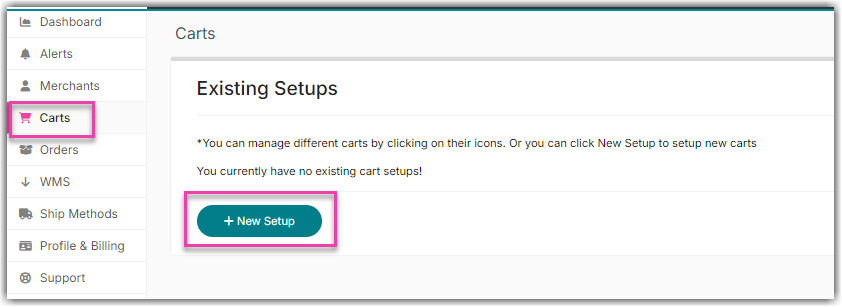
- Navigate to the Carts and select +New Setup.
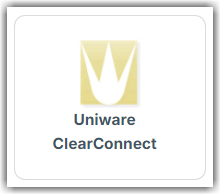
- Choose Uniware ClearConnect from the list of carts.
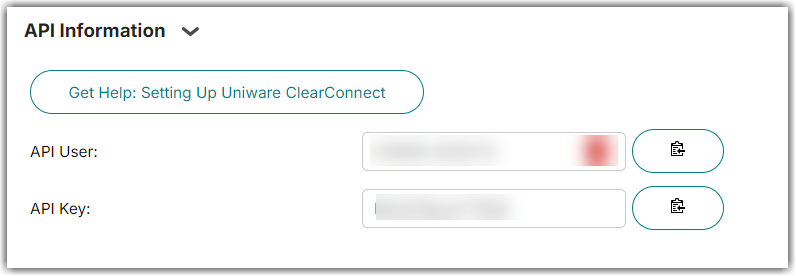
- Copy the API User and API Key.
- Click OK.
- Contact Uniware ClearConnect support and provide them with your Integration Manager API User and API Key.