
Lightspeed Retail Integration Overview
0.6 min read
|Supported functions
- Inventory Sync
- Order Download
- Shipment Confirmation
Workflow
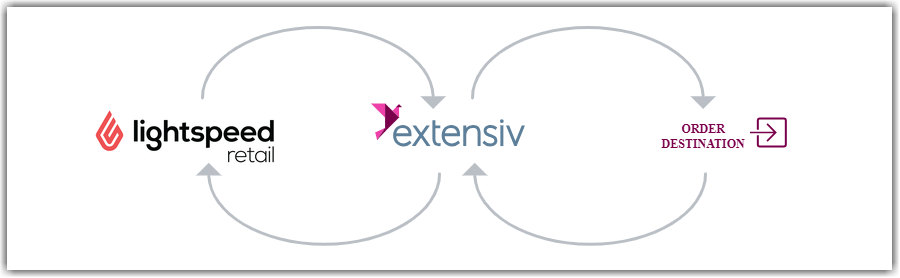
- Extensiv Integration Manager retrieves new orders from Lightspeed Retail.
- Integration Manager delivers orders to WMS/OMS.
- Integration Manager retrieves shipment tracking (not for POS) and inventory levels from WMS/OMS.
- Integration Manager delivers shipment tracking (not for POS) and inventory levels to Lightspeed Retail.
Required parameters
You will need the following credentials to complete the connection to Lightspeed Retail:
- Lightspeed Username
- Lightspeed Password
Important integration notes
Before setting up this connection to Lightspeed Retail, please review these important notes to ensure the integration is successful:
Shopify Orders
We do not recommend you load your Shopify orders into Lightspeed and have Integration Manager pull those orders from LightSpeed. The reason for this is the data quality of Shopify orders loaded into Lightspeed can be very low leading to incorrect orders, items, and shipping methods. If you need Integration Manager to pull Shopify orders, we recommend you connect Integration Manager directly to your Shopify store.
Lightspeed Retail Setup Guide
Follow the step-by-step instructions on the Lightspeed Retail Setup Guide to connect your Lightspeed Retail account to Integration Manager.