
Setting Up CommerceHub DemandStream
0.4 min read
|Integration Specs:
Supported functions:
- Order Download
- Inventory Sync
- Shipment Confirmation - Detailed
Workflow
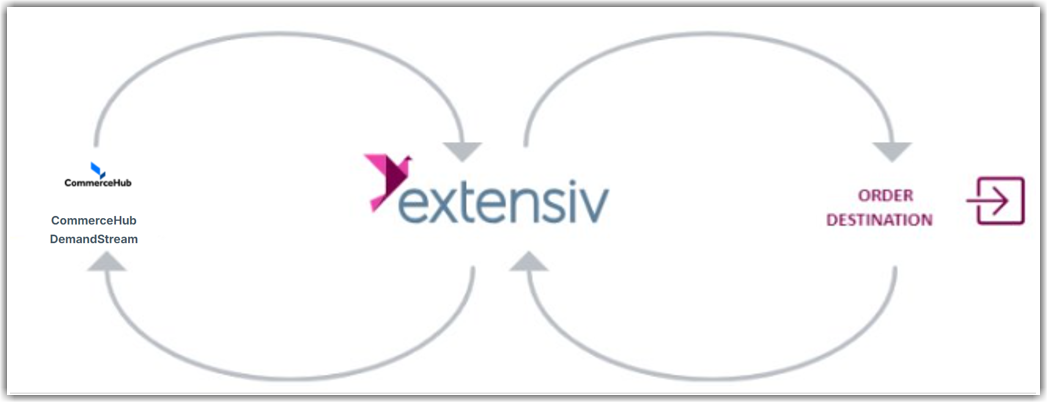
Required parameters
- FTP Server
- FTP Username
- FTP Password
- Retailer ID
- Partner ID
Step-by-step guide
- You must have DemandStream enabled on your CommerceHub account.
- All of the required parameters listed above can be acquired from CommerceHub. Please ask your CommerceHub account rep for all of this information.
- Request the supplier test plan from CommerceHub and send it to Extensiv Integration Manager.
- Launch Integration Management from Extensiv Hub.
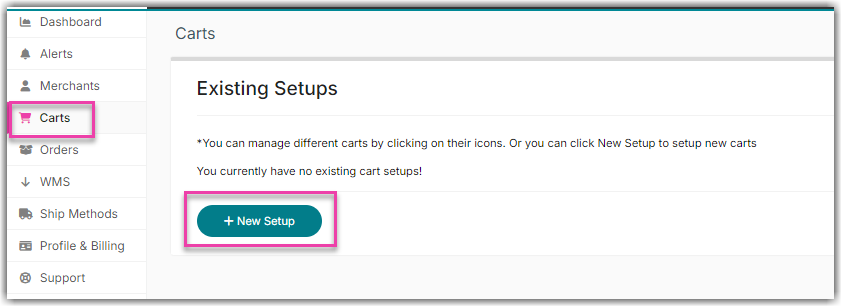
- Click on Carts. Then, click on +New Setup.
- Select CommerceHub DemandStream from the list.
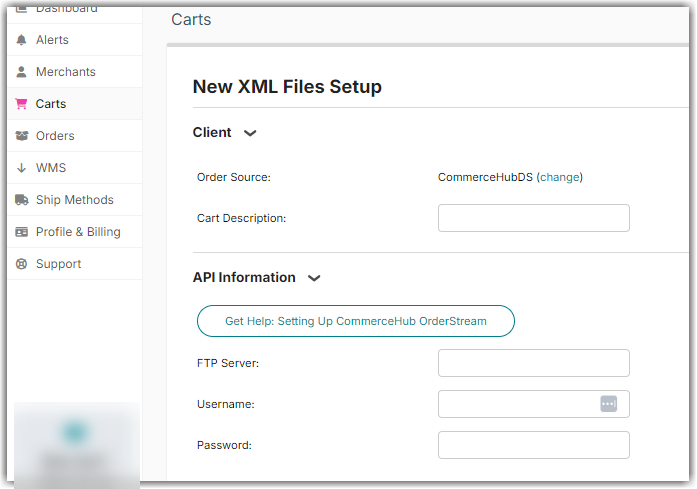
- Enter the details acquired from Step 2.
- Set up your warehouse From the shipping address in the Integration Manager merchant. Click on Products, select a warehouse, click Edit Warehouse, and click Add Address.