
Setting Up Bergen Logistics
0.4 min read
|Required parameters
- Account Web Address
- API Username
- API Password
Step-by-step guide
- Contact Bergen Logistics to acquire your API credentials and Account web address.
- Launch Integration Management from Extensiv Hub.
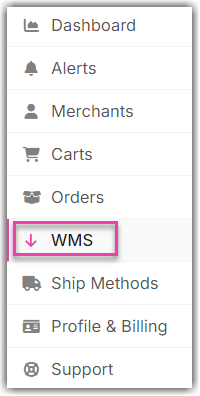
- Click on WMS and click Change WMS next to the dropdown list. Notice that the Change WMS disappears after clicking it, allowing you to select from the list.
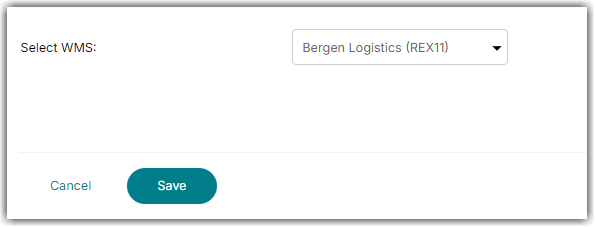
- Select Bergen Logistics (REX11) from the dropdown list. If you mistakenly select the wrong option, click on WMS again to make Change WMS reappear and select the correct one. Then, click Save.
- Go to Merchants and click Edit Setup.
- Enter the Account Web Address, API Username, and API Password.
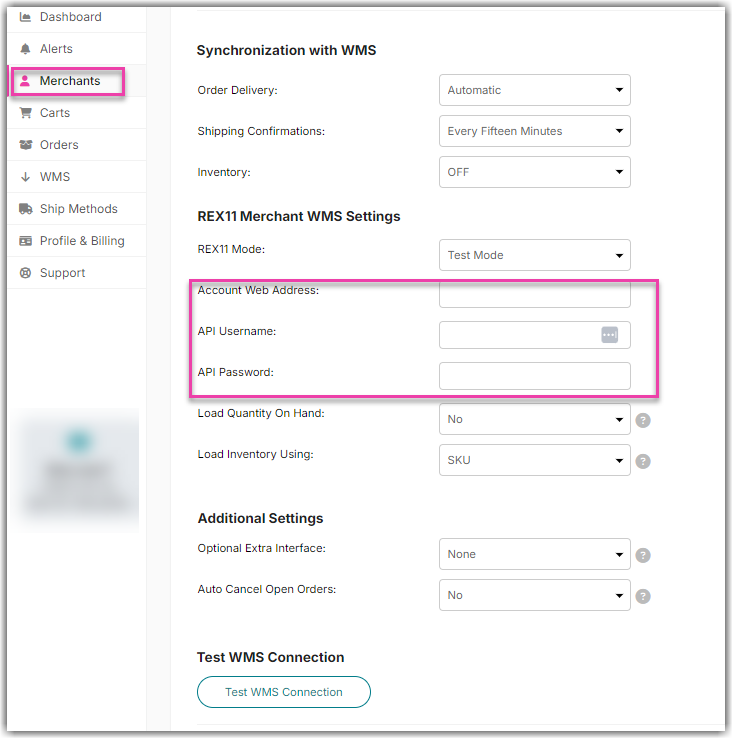
- Click Test WMS Connection to confirm successful connection. Then, click OK once done.